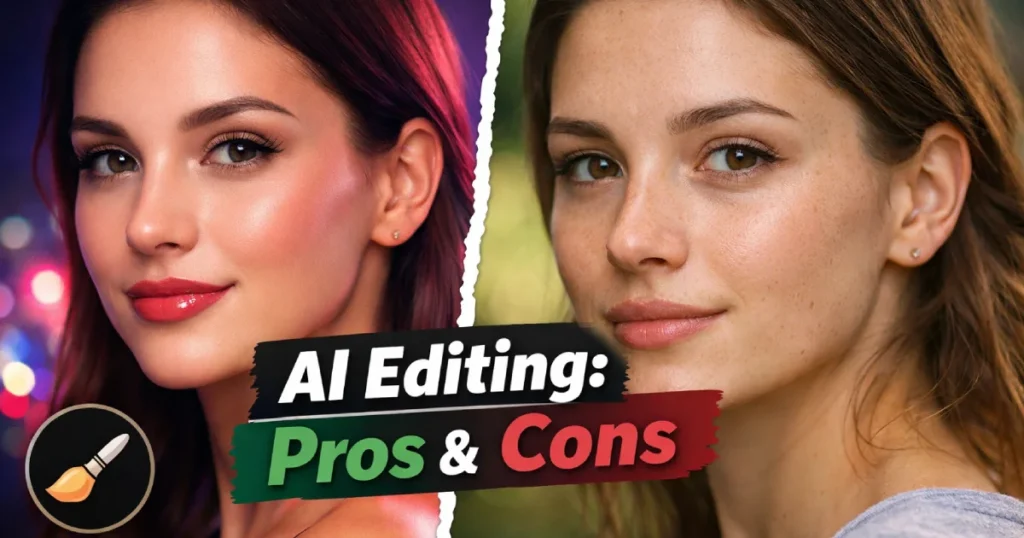
AI is changing the way we edit photos. With just one click, you can remove backgrounds, fix lighting, and even enhance faces.
But are AI photo editing tools always a good choice? Or do they come with hidden drawbacks?
In this article, we will explore the Pros and Cons of AI Photo Editing Tools in a clear and simple way. We’ll talk about speed vs creativity, automation risks, and privacy concerns. This guide is made for everyday users, students, creators, and anyone curious about how AI is shaping photo editing in 2026.
What Are AI Photo Editing Tools?
AI Photo Editing Tools are software or apps that use artificial intelligence to automatically improve or modify images.
Popular examples include:
- Adobe Photoshop (AI features like Generative Fill)
- Canva (Magic Edit tools)
- Luminar Neo (AI sky replacement)
- Remini (AI face enhancement)
These tools analyze images and make smart decisions about brightness, color, sharpness, or even background replacement.
Now let’s look at the real advantages and disadvantages.
Pros and Cons of AI Photo Editing Tools (Quick Overview)
| Pros | Cons |
|---|---|
| Fast editing | Less creative control |
| Beginner-friendly | Over-processed results |
| Saves time | Automation errors |
| Cost-effective | Privacy concerns |
| Easy social media use | Skill dependency risk |
This table gives a quick idea. Let’s break each point down properly.
Speed vs Creativity: What Do You Gain and Lose?
One of the biggest advantages of AI Photo Editing Tools is speed.
✅ The Speed Advantage
AI tools can:
- Remove backgrounds in seconds
- Fix lighting automatically
- Retouch skin instantly
- Enhance old photos with one tap
For content creators, bloggers, and students, this saves hours of manual work.
If you run a social media page or blog like DailyAS, fast editing helps you publish content quickly.
❌ The Creativity Limitation
However, speed sometimes reduces creative freedom.
Traditional editing gives you:
- Full manual control
- Unique artistic style
- Detailed adjustments
AI often follows patterns. Many photos start to look similar. Skin smoothing may look too perfect. Colors may feel artificial.
Real-world tip:
Use AI for base corrections. Then manually adjust details for a more natural finish.
Automation Risks You Should Know
AI is smart, but it’s not perfect.
1. Editing Mistakes
Sometimes AI:
- Removes important objects
- Blurs faces incorrectly
- Creates strange background edges
These mistakes happen because AI predicts patterns. It doesn’t “understand” emotions or context like humans.
2. Over-Reliance on Automation
New editors may skip learning basic skills.
This creates a long-term risk:
- Less understanding of lighting
- Weak composition knowledge
- Limited creative growth
If AI tools stop working or change pricing, users may struggle without core editing skills.
Best practice:
Learn basic photography and editing principles along with AI tools.
Privacy Concerns in AI Photo Editing Tools
This is one of the most important topics in 2026.
Many AI Photo Editing Tools are cloud-based. That means your images are uploaded to online servers.
Potential Risks
- Personal photos stored on external servers
- Facial data used for training AI models
- Data shared with third parties (depending on policy)
Apps like Remini have faced privacy questions in the past about image storage and AI model training.
Before using any tool:
- Read the privacy policy
- Check data storage terms
- Avoid uploading sensitive personal images
If privacy matters to you, consider offline software options like Adobe Photoshop desktop versions.
Cost: Is AI Editing Really Affordable?
Many AI tools offer:
- Free basic versions
- Subscription-based premium plans
For casual users, free tools are enough.
But professionals may need paid features like:
- High-resolution exports
- Advanced AI retouching
- Batch editing
Monthly subscriptions can add up over time.
Mistake to avoid:
Subscribing to multiple tools when one complete platform can do the job.
Who Benefits Most from AI Photo Editing Tools?
AI tools are ideal for:
- Social media users
- Bloggers
- Students
- Small business owners
- Beginners in photography
They are less ideal for:
- High-end commercial photographers
- Creative artists who want full control
- Professional retouchers
AI works best as a helper — not a full replacement.
AI Photo Editing Tools in 2026: Are They Improving?
Yes, AI editing tools are becoming smarter.
New features include:
- Realistic background generation
- AI lighting correction
- Auto object removal
- Face restoration for old images
But the debate about creativity and privacy continues.
Technology improves every year, but human creativity still matters.
Final Thoughts
The Pros and Cons of AI Photo Editing Tools show that these tools are powerful but not perfect.
They save time.
They help beginners.
They make editing easy.
But they also reduce creative control, create automation risks, and raise privacy concerns.
The smartest approach is balance.
Use AI for speed.
Use your creativity for uniqueness.
That combination works best in 2026.
FAQs
1. Are AI photo editing tools safe to use?
Most are safe if you use trusted platforms. Always read privacy policies and avoid uploading sensitive images.
2. Do AI photo editors replace professional photographers?
No. AI tools assist with editing but cannot replace creativity, experience, and artistic vision. For How to Make a Photo Look Professional read our article.
3. Are free AI photo editing tools good enough?
For basic use, yes. For professional projects, paid tools offer better quality and features.
4. Can AI editing make photos look fake?
Yes. Over-smoothing skin or extreme color correction can make images look unnatural.
5. Should beginners use AI photo editing tools?
Yes, but they should also learn basic editing skills to grow creatively.