
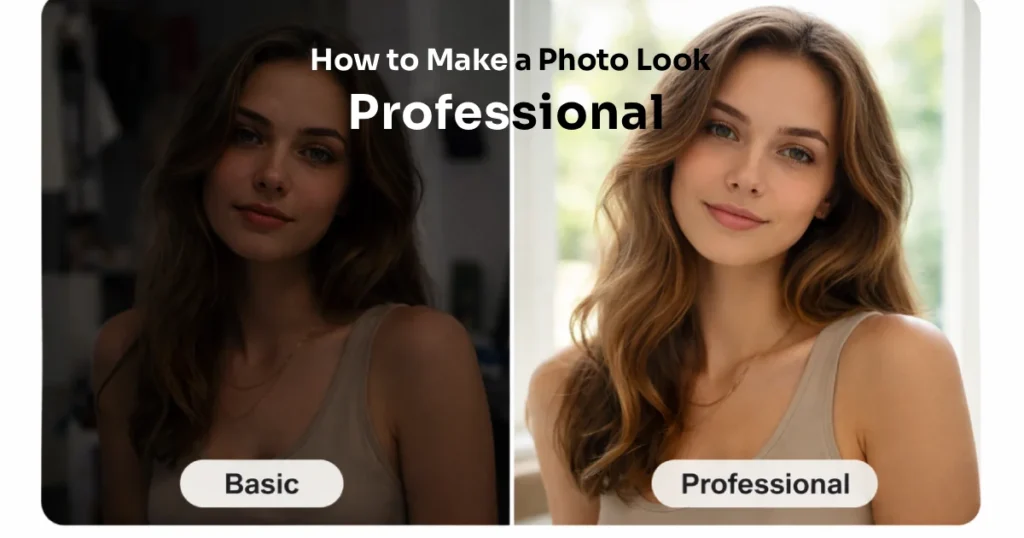
If you’ve ever wondered why some pictures instantly feel polished while others look average, you’re not alone.
Making a Photo Look Professional isn’t about owning an expensive camera. It’s about understanding a few simple elements — lighting, composition, framing, depth, and color correction.
In this guide, we’ll break down each factor in easy terms. Whether you’re clicking selfies, travel photos, or fan moments at events, these professional photo tips will help you upgrade your pictures in 2026.
Overview
Before diving deeper, here’s a quick overview of what makes a photo look professional:
| Element | What It Controls | Why It Matters |
|---|---|---|
| Lighting | Brightness & mood | Creates clarity and emotion |
| Composition | Subject placement | Makes image balanced |
| Framing | What’s inside the shot | Removes distractions |
| Depth | 3D feel | Adds cinematic effect |
| Color Correction | Tone & finish | Gives polished look |
These five elements work together. Even improving one of them can make a big difference.
Lighting: The Foundation of a Professional Look
Lighting is the most important factor.
Even a simple phone camera can create amazing results with good light.
Why Lighting Matters
Good lighting:
- Makes faces look clear
- Reduces harsh shadows
- Adds mood and emotion
- Makes colors look natural
Bad lighting:
- Creates dark circles
- Causes overexposed highlights
- Makes skin tones look odd
Easy Lighting Tips
- Stand near a window during the day
- Avoid direct sunlight on your face
- Turn slightly toward the light source
- Use soft indoor lighting instead of harsh white bulbs
Natural light is your best friend. Early morning or evening light often gives the smoothest results.
If you’re taking entertainment-style photos — like fan photos at concerts or public events — try to face stage lighting rather than having it behind you.
Composition: How You Arrange the Shot
Composition means how you place the subject inside the frame.
Professional photo tips often focus on this because it creates balance.
Rule of Thirds
Imagine dividing your screen into nine equal boxes. Place your subject slightly off-center instead of directly in the middle.
This simple trick instantly makes your photo look more natural.
Keep It Clean
Remove clutter from the background.
Too many objects distract the viewer.
Focus on One Main Subject
Don’t confuse the viewer with too many focal points. Let the eyes rest on one clear subject.
If you’re taking photos of celebrities at events or performances, make sure the main focus stays on the person — not the crowd behind them.
Framing: What You Include and Exclude
Framing decides what stays inside the photo.
Professionals are careful about edges and spacing.
Watch the Edges
Check if:
- Objects are cutting into the frame
- Heads are cropped awkwardly
- There’s too much empty space above the subject
Use Natural Frames
Doors, windows, trees, or arches can frame a person naturally.
This creates depth and makes the image more interesting.
Avoid Tight, Awkward Crops
Cutting at joints (knees, elbows, wrists) can make photos look uncomfortable. Crop slightly above or below those points instead.
Good framing makes the Photo Look Professional without heavy editing.
Depth: Making Photos Feel 3D
Flat images look basic. Depth adds dimension.
When a photo has depth, it feels cinematic and immersive.
How to Create Depth
- Blur the background (Portrait mode works well)
- Keep distance between subject and background
- Add foreground elements (like leaves or lights)
- Use side lighting to create soft shadows
Depth separates your subject from the background.
That separation is a big reason professional images stand out.
Even entertainment fans can use this tip when clicking photos at events — step slightly forward from the background to create natural blur.
Color Correction: The Final Polish
Color correction is like adding finishing touches.
It doesn’t mean heavy editing. It means balancing tones.
What to Adjust
- Brightness
- Contrast
- White balance
- Saturation
Keep It Natural
Avoid:
- Over-smoothing skin
- Over-saturating colors
- Making faces too orange or too pale
Professional photos look realistic, not artificial.
Apps like Lightroom, Snapseed, or built-in phone editors are enough for beginners.
The goal is subtle improvement — not transformation.
Professional Photo Tips for Everyday Moments
Here are simple ways to make photo professional without complex tools:
- Clean your camera lens before shooting
- Tap on the subject to focus
- Lower exposure slightly in bright scenes
- Take multiple shots and choose the best
- Avoid zooming digitally
Small adjustments create big improvements.
Common Mistakes That Ruin a Professional Look
Many people unknowingly make these errors:
- Shooting against strong backlight
- Ignoring background clutter
- Over-editing filters
- Cropping randomly
- Standing too close to the background
Fixing these alone can instantly improve results.
Why Professional Photos Matter in 2026
In today’s digital world, photos represent your identity.
Whether you’re sharing on social media, building a fan page, or creating content for DailyAS readers, visual quality matters.
A polished photo:
- Builds credibility
- Attracts attention
- Looks more engaging
- Feels trustworthy
And the good news? Anyone can learn how to make photo professional with practice.
Final Thoughts
Making a Photo Look Professional doesn’t require expensive gear or complex editing skills.
Focus on:
- Good lighting
- Balanced composition
- Clean framing
- Natural depth
- Subtle color correction
Practice these basics, and your photos will start looking sharper and more polished in 2026.
Professional photography is not about perfection.
It’s about intention.