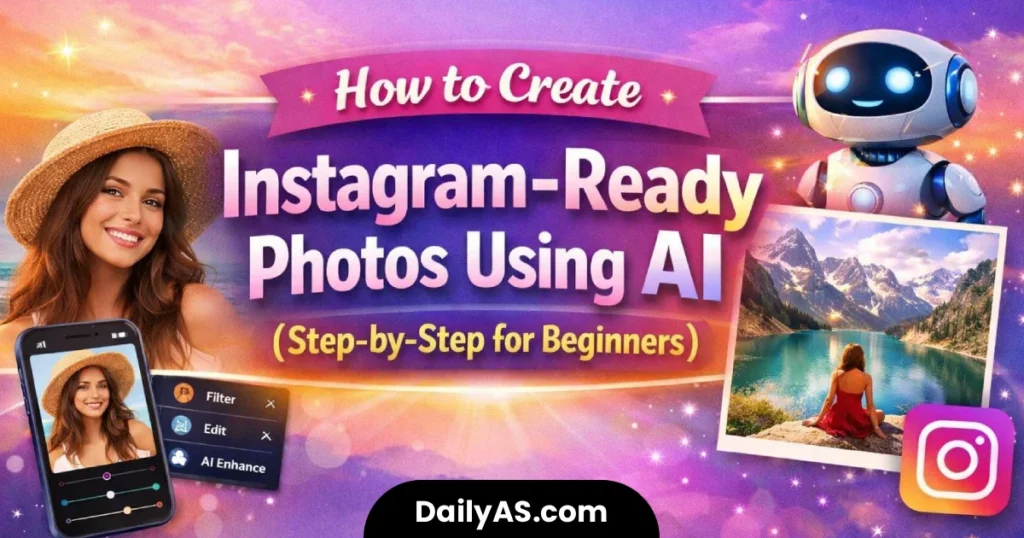
Learning how to create Instagram-ready photos using AI has become increasingly important for beginners who want their content to look clean, modern, and engaging. On a visual platform like Instagram, photo quality strongly influences how users interact with posts.
Thanks to artificial intelligence, beginners no longer need professional cameras or advanced editing skills to create appealing visuals. AI-powered tools can assist with lighting correction, clarity enhancement, background cleanup, and overall composition, making it easier than ever to create Instagram-ready photos using AI responsibly.
This guide walks beginners through a step-by-step process to create Instagram-ready photos using AI, while also explaining common mistakes, ethical considerations, and best practices.
Why Instagram Photos Matter More Than Ever
Instagram is a visual-first platform where users decide within seconds whether to engage with a post.
High-quality photos:
- Capture attention quickly
- Improve engagement rates
- Build credibility and trust
- Support consistent branding
If your goal is to grow on Instagram, learning to create Instagram-ready photos using AI can give you a strong visual foundation without overwhelming complexity.
Clarity and authenticity often outperform overly edited images.
AI Tools Beginners Can Use to Create Instagram-Ready Photos
Beginners have access to many AI-based tools designed specifically to simplify photo editing.
Common AI Tool Categories
- AI photo enhancement tools
- Automatic background removal tools
- AI image generators
- Smart color and lighting correction tools
When choosing tools to create Instagram-ready photos using AI, beginners should prioritize simplicity and transparency over advanced features.
Step-by-Step Workflow to Create Instagram-Ready Photos Using AI
This workflow focuses on practical, beginner-safe steps.
Step 1: Capture a Clear Base Image
AI works best when the original photo is usable.
Best practices:
- Use natural or even lighting
- Keep the subject in focus
- Avoid cluttered backgrounds
A basic smartphone image is enough to create Instagram-ready photos using AI when lighting is balanced.
Step 2: Select an AI Editing Tool
Choose one tool that matches your goal:
- Portrait enhancement
- Background cleanup
- Lighting improvement
Avoid stacking multiple AI tools early on. Simplicity produces more natural results.
Step 3: Apply AI Enhancements Carefully
Common AI adjustments include:
- Brightness and exposure balancing
- Skin tone correction
- Background softening
When learning to create Instagram-ready photos using AI, always review changes before finalizing.
Step 4: Review and Refine the Image
Before exporting:
- Check for unnatural facial smoothing
- Ensure colors look realistic
- Confirm the photo still reflects reality
Human judgment is essential when you create Instagram-ready photos using AI.
Step 5: Export in Instagram-Friendly Format
Recommended formats:
- Square (1:1)
- Vertical (4:5)
- High resolution with light compression
Proper sizing helps ensure your AI-edited photo displays correctly in the Instagram feed.
Common Mistakes When Creating Instagram Photos With AI
Many beginners make similar mistakes when first trying AI tools.
Mistakes to Avoid
- Over-editing faces
- Using excessive filters
- Ignoring proportions
- Relying entirely on automation
These mistakes can make images look artificial and reduce trust.
Tips for Better Results When You Create Instagram-Ready Photos Using AI
Small improvements lead to better long-term results.
Expert Tips
- Use AI as an assistant, not a replacement
- Keep edits subtle and consistent
- Maintain a similar visual style across posts
- Review images on multiple screens
With practice, creating Instagram-ready photos using AI becomes faster and more intuitive.
Ethical and Responsible Use of AI-Edited Photos
Responsible usage matters, especially on social platforms.
Follow these principles:
- Do not misrepresent identity
- Avoid misleading edits
- Respect privacy and consent
- Be transparent when needed
Ethical editing builds long-term trust with both audiences and advertisers.
Frequently Asked Questions
Can beginners really create Instagram-ready photos using AI?
Yes. AI tools are specifically designed to help beginners improve photo quality with minimal effort.
Do AI-edited photos perform better on Instagram?
High-quality visuals often perform better, but authenticity and consistency matter just as much.
Is it allowed to use AI photos on Instagram?
Yes, provided the images are not misleading and follow platform guidelines.
Should AI-edited photos be disclosed?
Disclosure is recommended in commercial or professional contexts.
You can checkout our related posts :
What Is AI Photo Editing? How Artificial Intelligence Is Changing Photography
What Is Google Gemini AI? A Beginner’s Guide to Features, Uses, and Limitations
Gemini AI Boy Photo Editing Prompts: Create Realistic & Stylish Photos Without Editing Skills
9 Best Gemini AI Instagram Photo Prompts (Copy-Paste & Trending in 2026)
Conclusion: A Smarter Way to Create Instagram-Ready Photos
Learning to create Instagram-ready photos using AI allows beginners to improve visual quality without technical frustration. AI tools can enhance lighting, clarity, and composition, making content more engaging and professional-looking.
However, the best results come from combining AI assistance with human judgment. When used responsibly, AI becomes a powerful tool for creativity—not a shortcut that sacrifices authenticity.
AI improves presentation, but trust is built through honesty and consistency.